⚠️ 免责声明:本文仅介绍网络上的操作方法,不保证其长期有效性。使用第三方脚本和生成虚假支付信息可能违反平台服务条款,存在账号被封禁的风险,请自行评估后谨慎操作。
一、背景概述
Claude Pro 是 Anthropic 推出的付费订阅服务,月费为20美元。由于 Claude 不支持中国大陆的银行卡和信用卡直接支付,许多用户一直在寻找替代的订阅方式。
近期,有开发者发布了一款油猴脚本,配合德国 SEPA 支付方式,据称可以实现低成本开通 Claude Pro。下面整理了这个方法的完整操作流程。
二、准备工作
1. 安装油猴扩展(Tampermonkey)
地址:https://chromewebstore.google.com/detail/dhdgffkkebhmkfjojejmpbldmpobfkfo
油猴(Tampermonkey)是一款浏览器扩展,用于运行用户脚本。你可以在 Chrome 网上应用店搜索"Tampermonkey"并安装。
2. 安装专用的油猴脚本
根据相关帖子介绍,需要安装一个专门用于 Claude 支付的油猴脚本。该脚本的 Chrome 扩展 ID 为 dhdgffkkebhmkfjojejmpbldmpobfkfo。
注:该脚本的具体功能是辅助在 Claude 支付页面进行操作,请从官方渠道获取并确认脚本来源可靠。
插入代码:
// ==UserScript==
// @name         TestExample Cassia Response Mock
// @namespace    local.testexample.checkout
// @version      1.1.0
// @description  将 checkout_capabilities 响应改写为 cassia
// @match        *://claude.ai/*
// @match        *://*.claude.ai/*
// @run-at       document-start
// @grant        none
// @sandbox      raw
// ==/UserScript==

(function () {
  "use strict";

  const TARGET_HOST = "claude.ai";

  const TARGET_PATH =
    /^\/api\/organizations\/[^/]+\/subscription\/checkout_capabilities\/?$/;

  const MOCK_DATA = {
    checkout_flow: "cassia"
  };

  const MOCK_BODY = JSON.stringify(MOCK_DATA);
  const MOCK_LENGTH =
    new TextEncoder().encode(MOCK_BODY).byteLength;

  function getTargetUrl(input, method = "GET") {
    try {
      let rawUrl;

      if (typeof input === "string" || input instanceof URL) {
        rawUrl = String(input);
      } else if (input && typeof input.url === "string") {
        rawUrl = input.url;
      } else {
        return null;
      }

      const url = new URL(rawUrl, location.href);

      if (String(method).toUpperCase() !== "GET") {
        return null;
      }

      // 允许主域名以及其子域名
      const hostMatched =
        url.hostname === TARGET_HOST ||
        url.hostname.endsWith("." + TARGET_HOST);

      if (!hostMatched) {
        return null;
      }

      if (!TARGET_PATH.test(url.pathname)) {
        return null;
      }

      return url;
    } catch (error) {
      console.error("[Cassia Mock] URL 解析失败:", error);
      return null;
    }
  }

  function createMockResponse(originalResponse) {
    const headers = new Headers(originalResponse.headers);

    headers.delete("content-length");
    headers.delete("content-encoding");
    headers.delete("etag");
    headers.delete("content-md5");

    headers.set(
      "content-type",
      "application/json; charset=utf-8"
    );
    headers.set("content-length", String(MOCK_LENGTH));
    headers.set("cache-control", "no-store");

    const response = new Response(MOCK_BODY, {
      status: 200,
      statusText: "OK",
      headers
    });

    // 尽量保留原始响应信息
    try {
      Object.defineProperties(response, {
        url: {
          value: originalResponse.url,
          configurable: true
        },
        redirected: {
          value: originalResponse.redirected,
          configurable: true
        },
        type: {
          value: originalResponse.type,
          configurable: true
        }
      });
    } catch (_) {
      // 不影响主体改写
    }

    return response;
  }

  /*
   * 拦截 Fetch
   */
  const nativeFetch = window.fetch;

  window.fetch = async function (input, init) {
    const method =
      init?.method ||
      (input instanceof Request ? input.method : "GET");

    const targetUrl = getTargetUrl(input, method);

    const originalResponse =
      await nativeFetch.apply(this, arguments);

    if (!targetUrl) {
      return originalResponse;
    }

    console.warn(
      "[Cassia Mock] Fetch 响应已改写:",
      targetUrl.href,
      MOCK_DATA
    );

    return createMockResponse(originalResponse);
  };

  /*
   * 拦截 XMLHttpRequest
   */
  const XhrPrototype = XMLHttpRequest.prototype;
  const xhrInfo = new WeakMap();
  const loggedXhrs = new WeakSet();

  const nativeOpen = XhrPrototype.open;
  const nativeSend = XhrPrototype.send;
  const nativeGetResponseHeader =
    XhrPrototype.getResponseHeader;
  const nativeGetAllResponseHeaders =
    XhrPrototype.getAllResponseHeaders;

  XhrPrototype.open = function (method, url) {
    let absoluteUrl;

    try {
      absoluteUrl = new URL(
        String(url),
        location.href
      ).href;
    } catch (_) {
      absoluteUrl = String(url);
    }

    xhrInfo.set(this, {
      method: String(method || "GET").toUpperCase(),
      url: absoluteUrl
    });

    return nativeOpen.apply(this, arguments);
  };

  function getMatchedXhr(xhr) {
    const info = xhrInfo.get(xhr);

    if (
      !info ||
      xhr.readyState !== XMLHttpRequest.DONE
    ) {
      return null;
    }

    return getTargetUrl(info.url, info.method);
  }

  function replaceXhrGetter(propertyName, replacement) {
    const descriptor =
      Object.getOwnPropertyDescriptor(
        XhrPrototype,
        propertyName
      );

    if (
      !descriptor ||
      typeof descriptor.get !== "function" ||
      descriptor.configurable === false
    ) {
      console.warn(
        `[Cassia Mock] 无法接管 XHR.${propertyName}`
      );
      return;
    }

    const nativeGetter = descriptor.get;

    Object.defineProperty(XhrPrototype, propertyName, {
      ...descriptor,

      get: function () {
        if (!getMatchedXhr(this)) {
          return nativeGetter.call(this);
        }

        return replacement.call(this, nativeGetter);
      }
    });
  }

  replaceXhrGetter(
    "responseText",
    function (nativeGetter) {
      if (
        this.responseType !== "" &&
        this.responseType !== "text"
      ) {
        return nativeGetter.call(this);
      }

      return MOCK_BODY;
    }
  );

  replaceXhrGetter(
    "response",
    function (nativeGetter) {
      if (this.responseType === "json") {
        return {
          checkout_flow: "cassia"
        };
      }

      if (
        this.responseType === "" ||
        this.responseType === "text"
      ) {
        return MOCK_BODY;
      }

      return nativeGetter.call(this);
    }
  );

  replaceXhrGetter("status", function () {
    return 200;
  });

  replaceXhrGetter("statusText", function () {
    return "OK";
  });

  XhrPrototype.getResponseHeader = function (name) {
    if (!getMatchedXhr(this)) {
      return nativeGetResponseHeader.apply(
        this,
        arguments
      );
    }

    switch (String(name).toLowerCase()) {
      case "content-type":
        return "application/json; charset=utf-8";

      case "content-length":
        return String(MOCK_LENGTH);

      case "cache-control":
        return "no-store";

      case "content-encoding":
      case "etag":
      case "content-md5":
        return null;

      default:
        return nativeGetResponseHeader.apply(
          this,
          arguments
        );
    }
  };

  XhrPrototype.getAllResponseHeaders = function () {
    const originalHeaders =
      nativeGetAllResponseHeaders.apply(this, arguments);

    if (!getMatchedXhr(this)) {
      return originalHeaders;
    }

    const headers = String(originalHeaders || "")
      .split(/\r?\n/)
      .filter(Boolean)
      .filter(function (line) {
        const name = line
          .split(":", 1)[0]
          .trim()
          .toLowerCase();

        return ![
          "content-type",
          "content-length",
          "content-encoding",
          "cache-control",
          "etag",
          "content-md5"
        ].includes(name);
      });

    headers.push(
      "content-type: application/json; charset=utf-8",
      `content-length: ${MOCK_LENGTH}`,
      "cache-control: no-store"
    );

    return headers.join("\r\n") + "\r\n";
  };

  XhrPrototype.send = function () {
    this.addEventListener(
      "readystatechange",
      function () {
        const targetUrl = getMatchedXhr(this);

        if (targetUrl && !loggedXhrs.has(this)) {
          loggedXhrs.add(this);

          console.warn(
            "[Cassia Mock] XHR 响应已改写:",
            targetUrl.href,
            MOCK_DATA
          );
        }
      }
    );

    return nativeSend.apply(this, arguments);
  };

  /*
   * 显示运行标记
   */
  function showStatusBadge() {
    if (!document.documentElement) {
      document.addEventListener(
        "DOMContentLoaded",
        showStatusBadge,
        { once: true }
      );
      return;
    }

    if (document.getElementById("cassia-mock-badge")) {
      return;
    }

    const badge = document.createElement("div");
    badge.id = "cassia-mock-badge";
    badge.textContent = "Cassia Mock ON";

    Object.assign(badge.style, {
      position: "fixed",
      right: "12px",
      bottom: "12px",
      zIndex: "2147483647",
      padding: "7px 11px",
      color: "#ffffff",
      background: "#167c3a",
      borderRadius: "6px",
      fontSize: "12px",
      fontFamily: "sans-serif",
      boxShadow: "0 2px 8px rgba(0,0,0,.3)"
    });

    document.documentElement.appendChild(badge);
  }

  window.__cassiaMockInstalled = true;

  console.info(
    "[Cassia Mock] 脚本已加载:",
    location.href
  );

  showStatusBadge();
})();
三、操作步骤
第一步:登录 Claude 网页版
打开 Claude 官网(claude.ai),使用你的账号登录。如果还没有账号,需要先完成注册。
登录后,进入设置 → 账单页面,点击"升级计划"按钮。
第二步:选择支付资料地区
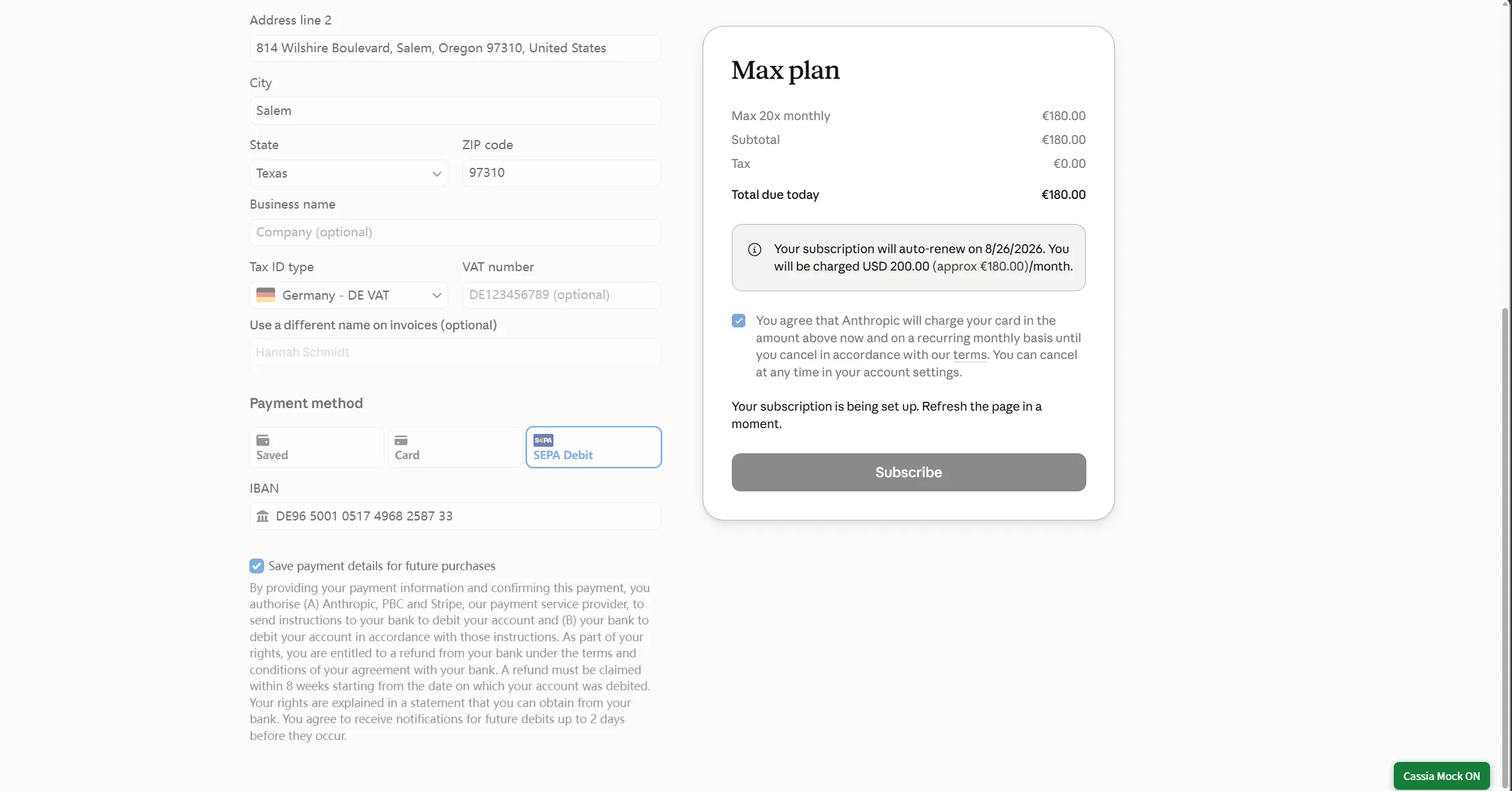
在支付信息填写页面,将支付资料地区选择为德国(Germany)。
第三步:选择支付方式
支付方式选择 SEPA(单一欧元支付区) 。SEPA 是欧洲统一的欧元支付体系,支持在欧元区内进行银行转账。
第四步:生成德国 IBAN
打开 http://randomiban.com/ ,这是一个用于生成符合校验规则的测试 IBAN 的在线工具。
在该网站选择德国(Germany),系统会生成一个格式正确的德国 IBAN(以"DE"开头,共22位)。
第五步:填写支付信息并提交
将生成的德国 IBAN 填入 Claude 支付页面的相应字段,按要求填写其他必要信息后直接提交支付。
四、关于成本的说明
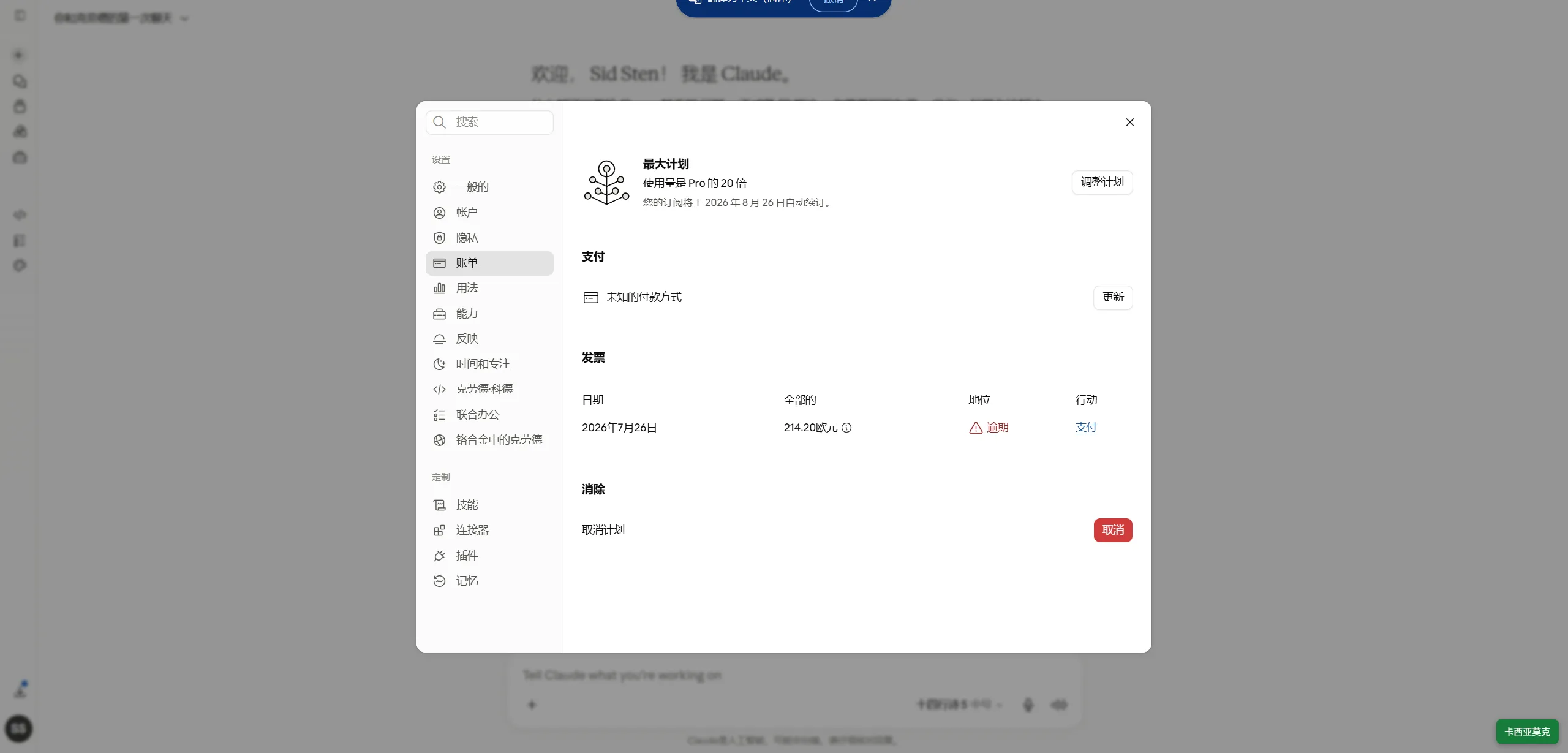
Claude Pro 的标准月费为 20 美元。由于欧元兑美元汇率波动,实际折算约为 18-19 欧元。
所谓的"max20到手"指的是以标准价格(20美元/月)订阅成功,并非折扣价。
五、重要提示与风险
- 脚本来源不明:油猴脚本可以访问网页内容,请确保从可信来源获取,避免安全风险。
- 可能违反服务条款:使用脚本自动化和生成虚假支付信息可能违反 Anthropic 的服务条款,存在账号被封禁的风险。
- IBAN 验证问题:randomiban.com 生成的 IBAN 虽然能通过格式校验(MOD 97算法),但实际支付时银行系统可能会进行收款方验证(Verification of Payee),比对 IBAN 与账户持有人姓名是否匹配。如果验证不通过,支付可能会失败。
- 方法可能随时失效:这类"技巧"通常依赖于平台支付系统的漏洞或宽松验证,一旦平台修复,方法即告失效。
六、其他可行方案
- 换好的ip
- 换Google邮箱
- 换浏览器
- 什么都换了,都不行那就换个人来。
总结
通过油猴脚本 + 德国 SEPA 支付 + randomiban.com 生成 IBAN 的方式,是目前网络上流传的一种 Claude Pro 订阅方法。整个过程操作简单,理论上可以实现 20 美元/月的标准价格订阅。但需要提醒的是,这类方法存在账号风险和方法失效的可能,建议谨慎评估后决定是否尝试。

文章评论